Environment Chaos for QA
In a microservices ecosystem, staging environments are often a victim of its own complexity. As the number of interconnected services grows, the probability of a system-wide blockage increases exponentially. When a single service; whether it’s a legacy mainframe, a third-party payment gateway or a database becomes unstable, it creates a ripple effect that brings engineering velocity to a standstill.
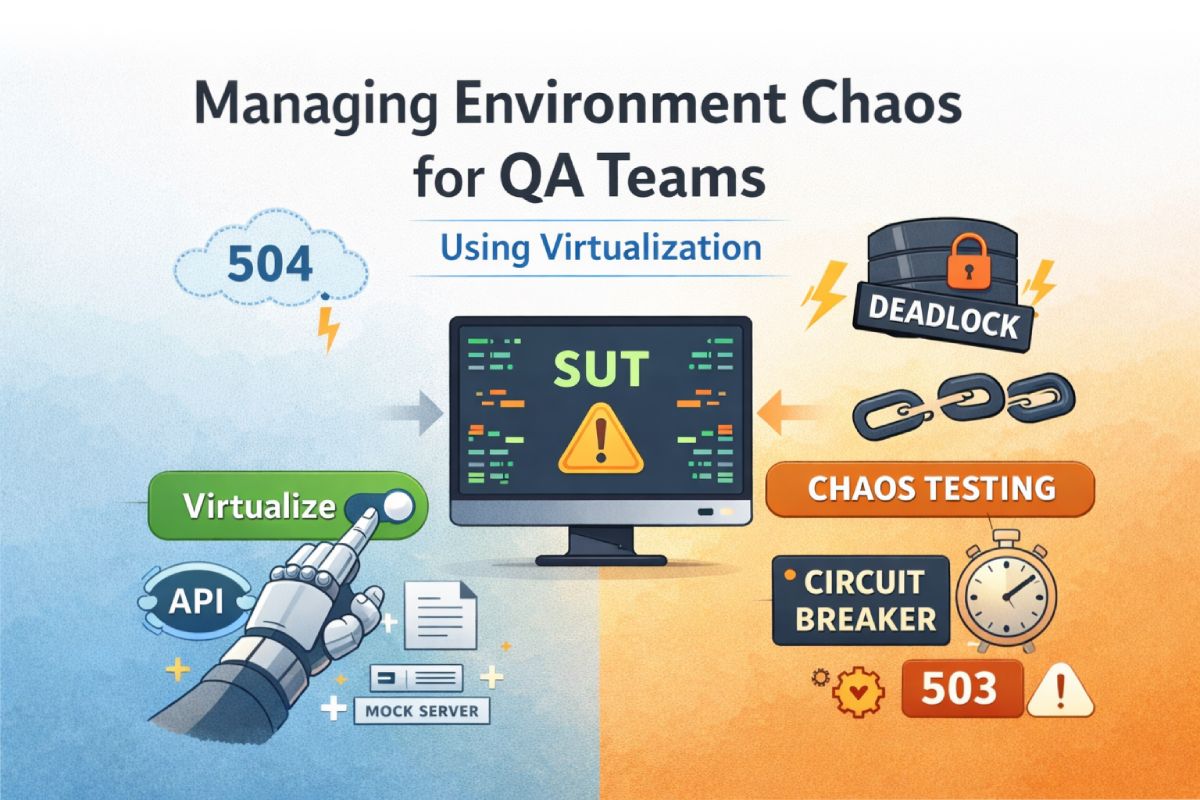
To solve this, high-performing teams are adopting Service Virtualization and (Layer 7) Chaos Engineering. These are most important architectural safeguards that decouple the system under test from the volatility of its micro-services or external dependencies.
What is Environment Drift
Most QA teams operate under the assumption that a shared staging environment is a reliable mirror of production—and the only valid place to run integration tests. In practice, this assumption breaks down fast. Staging environments are maintained by multiple teams pushing configuration changes, data migrations, and version upgrades on their own schedules. Over time, the gap between what staging looks like and what production looks like quietly widens. This is Environment Drift.
Environment Drift: The gradual divergence in configuration, data state, and software versions between Development, Staging, and Production. This drift is the primary source of "flaky" tests—where a feature passes in isolation but fails unpredictably during integration, eroding confidence in the entire test suite.
The cost of environment drift is not just bad test results. It's lost time spent debugging infrastructure instead of product code, missed release windows because a blocker was environmental (not functional), and a growing distrust in test outcomes across the team.
Integration Blockers
When a critical downstream service, say an Identity Provider, an Auth Service, a payment gateway—crashes or becomes unavailable in staging, it creates an Integration Blocker. Every engineer and tester dependent on that service is now blocked, idle. For a 20 person QA team, with single sandbox, few hours of this downtime translates directly into delayed releases and missed sprint commitments. Worse, these blockers tend to cluster around release deadlines, exactly when velocity matters most!
Service Virtualization
The answer is to decouple your tests from the instability of shared environments altogether. Service Virtualization lets you replace flaky or unavailable dependencies with controlled, deterministic stand-ins. Full-fledged API mocking, returning dynamic, stateless responses on demand, delivers the core benefits of Service Virtualization at a fraction of the setup and infrastructure cost compared to traditional enterprise virtualization tools.
Beeceptor provides the following mechanisms for Service Virtualization:
- Traffic Mirroring: Use Beeceptor as a transparent proxy to capture live traffic from a healthy staging environment. Beeceptor logs the full request/response lifecycle, preserving headers like
Correlation-IDs,ETags, andSession-Tokens. These captured interactions can then be used to write rules for specific request scenarios, effectively virtualizing the known parts of a service. - Spec-Driven Service Virtualization: Supplement recorded data by importing industry-standard specification formats. By providing OpenAPI (Swagger), WSDL (SOAP), GraphQL SDL, or gRPC Proto definitions, you can virtualize services that don't yet exist or aren't currently reachable. Beeceptor parses these specs to automatically generate mock endpoints that strictly adhere to your API contract.
When the real backend goes offline, you simply toggle your application's dependencies to the Beeceptor endpoint. Your application continues to function against this virtualized layer, and your test suite remains deterministic, regardless of what's happening in staging.
Fault Injection: Testing the 500 errors
Testing against a staging environment has its caveats: you cannot control the scenarios of the staging environments dependencies to be perfect, or failing using a simple toggle. Chaos Engineering ensures that failures can be injected intentionally to test unhappy path scenarios.
Layer 7 Chaos Engineering: focuses on the Application Layer. It involves injecting faults directly into the API communication. These can be malformed JSON responses, specific HTTP status codes, or artificial latencies.
For a standard QA environment for integration or sandbox, you cannot easily force a third-party provider (like Stripe or Twilio) a database cluster to return a failure on demand to return a 503 Service Unavailable on demand. Beeceptor allows you to simulate these unhappy paths to build resilient apps.
Example: Latency Injection & Cascading Failures
If Service A waits 30 seconds for Service B, Service A’s thread pool may quickly exhaust, leading to a cascading failure.
- The Simulation: Inject a 30s delay rule in Beeceptor for specific endpoints.
- The Goal: Validate that your application implements a proper request timeout and doesn't hang indefinitely.
Example: The "Impossible" 500 and 504s
Using Beeceptor, you can achieve the following checks:
- 504 Gateway Timeout: Test if your load balancer logic handles upstream timeouts correctly.
- 503 Service Unavailable: Verify if your UI displays a graceful "Maintenance" state or a raw stack trace.
- 429 Too Many Requests: Test if your application respects the
Retry-Afterheader.
Example: Database Deadlocks
Database deadlocks occur when two or more transactions permanently block each other. While you can't easily break the actual database in staging, you can simulate the symptoms of a deadlock—specifically the 409 Conflict or a specific internal error code returned. This helps you test the retry logic in the application.
- The Simulation: Configure a Beeceptor rule to return an
HTTP 409 Conflictor a500 Internal Server Errorwith a body containing a database driver error (e.g.,ORA-00060orDeadlock found when trying to get lock). - The Goal: Verify that your application’s transaction manager catches the exception, performs a rollback, and triggers a clean retry or provides a meaningful error to the user rather than leaving the system in a "partial-write" state.
Example: Circuit Breakers
Once you can simulate chaos, you can also validate the implementation of resilience patterns, specifically the Circuit Breaker pattern, either manually, or using Beeceptor's management APIs.
The Circuit Breaker pattern prevents an application from repeatedly trying to execute an operation that's likely to fail. Using Beeceptor, you can test all three states:
- Closed to Open: Inject a 100% failure rate (e.g.,
500 Internal Server Error) rule in Beeceptor. This allows you to verify that your application’s circuit breaker logic correctly counts consecutive failures. You should observe that once the threshold (e.g., 5 failures) is met, the application stops making network calls to Beeceptor entirely, effectively "tripping" the breaker. - Open (Cooling Down): While the circuit is still in this state, verify that your application "fails fast" by returning a fallback response or error immediately without attempting to hit the network. You can confirm this by monitoring the Beeceptor dashboard; during the "Open" window, you should see zero incoming requests despite the application being triggered, proving the breaker is shielding the downstream service.
- Half-Open to Closed: After the configured timeout period, revert Beeceptor to return
200 OKmanually or using the management API. The circuit breaker should enter a "Half-Open" state, allowing a single "probe" request through. Verify that upon receiving a successful response from Beeceptor, the breaker automatically resets to "Closed," allowing all subsequent traffic to flow normally again.
Further Reading
Explore the following sources to understand service virtualization and chaos engineering in details.
- Service Virtualization - Comprehensive set of articles on Service Virtualization.
- The Principles of Chaos Engineering - The foundational document outlining the discipline of fault injection.
- Microsoft Azure Design Patterns: Circuit Breaker - A comprehensive specification for the Circuit Breaker state machine.