Latency Profiles
Response latency adds a configurable delay before Beeceptor returns a response. Use it to simulate a slow or unpredictable API and verify how your application handles delayed responses, timeouts, and retries.
This endpoint-level setting applies to all types of responses, regardless of how they are generated. This includes responses from Mock Rules, an API specification, Routing, and Local Tunneling. Configure the latency once for the endpoint, then override it for individual Mock Rules when needed.
This feature is available with paid plans.
Latency Profiles
Choose a profile based on the response behavior you want to simulate:
| Profile | Behavior |
|---|---|
| None | Adds no latency. |
| Fixed | Delays every response by the same duration. |
| Random Range | Varies the delay between the minimum and maximum values. |
| Log-normal Distribution | Produces mostly fast responses with occasional slower ones, within the configured range. |
| Load Dependent | Simulates latency that changes dynamically based on the current request load (RPS) on the endpoint or mock server. |
Fixed
Use Fixed when every response should have the same added delay. Enter the delay in milliseconds.
Random Range
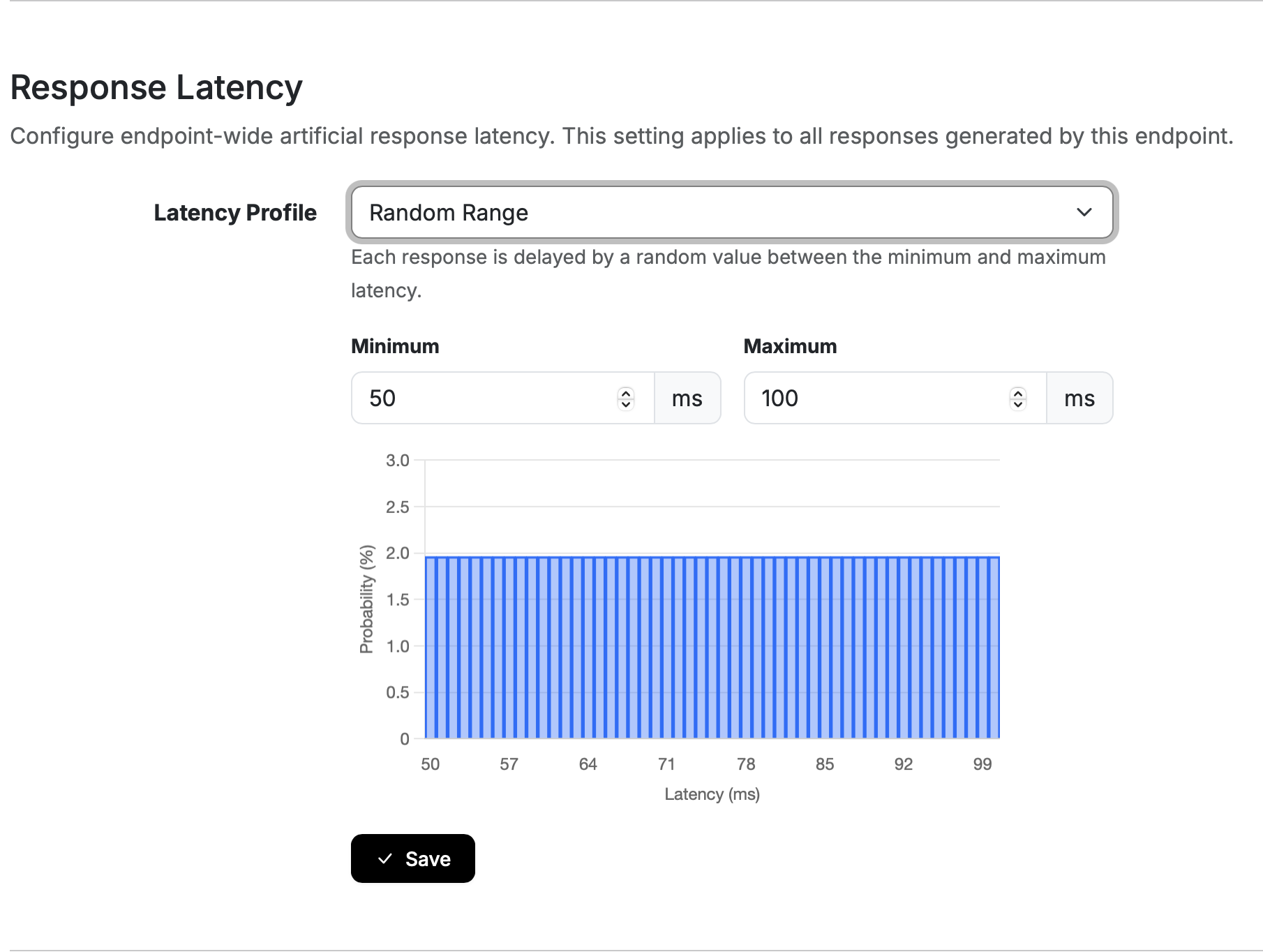
Use Random Range when you want response times to vary evenly across a defined range. The chart previews the possible delays.
Log-normal Distribution
Use Log-normal Distribution to model an API that usually responds quickly but is occasionally slow. The chart previews the expected response times before you save the profile.
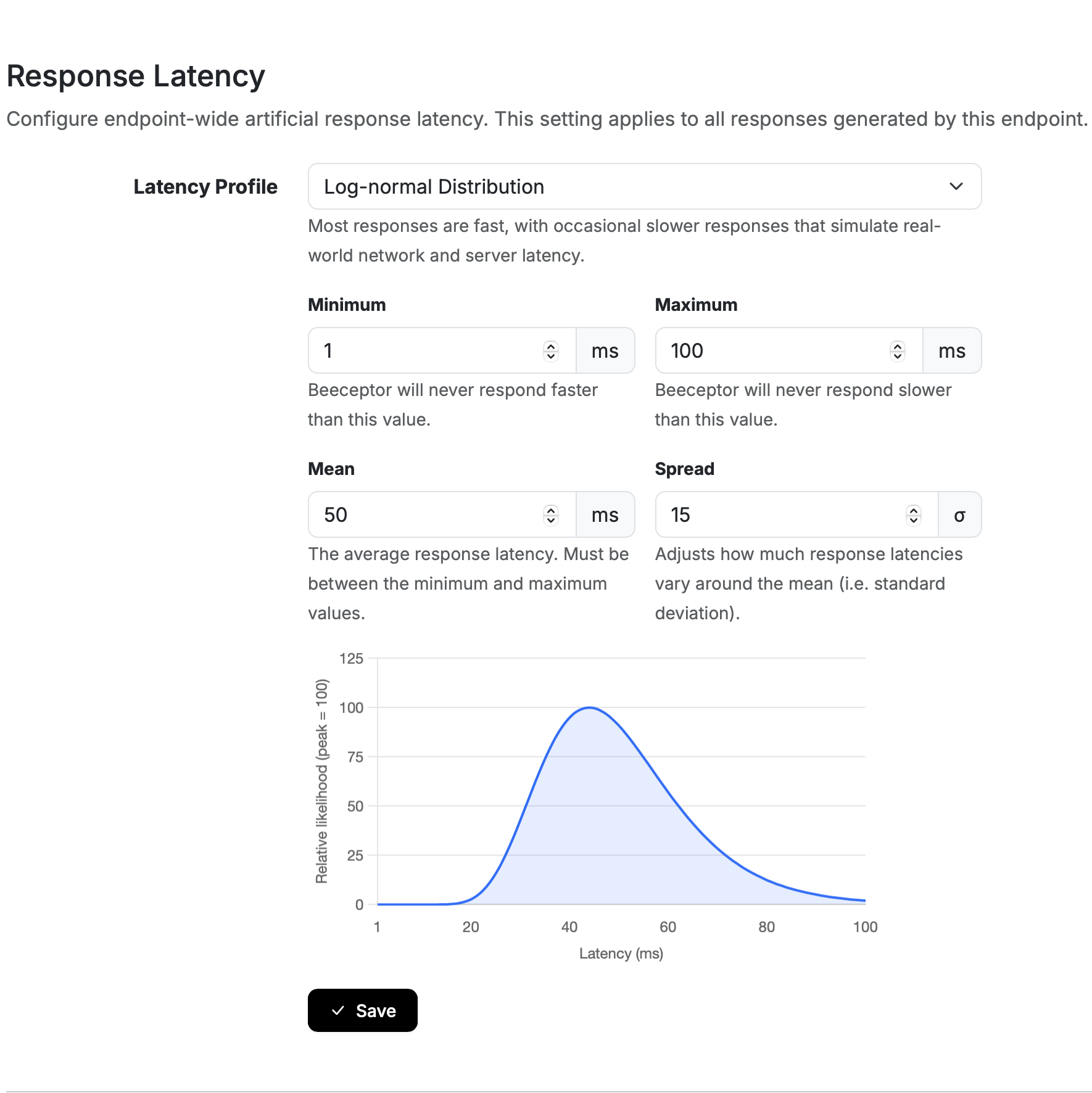
Note: The chart is for visual reference only. Actual response delays in simulation will follow a similar pattern, but may not be precisely identical to the chart previewed.
Request Rate Based
Use Request Rate Based latencies during performance testing when you need to simulate a dependency whose response time changes with traffic. This profile help you simulate varied latencies based on current request rate received by the Beeceptor endpoint.
Consider this example: Your application depends on a payment API that responds quickly under normal traffic but slows down during peak demand. Point your application at a Beeceptor mock server and configure this latency profile, so that it reflects expected behavior. As you increase traffic to your application or Beeceptor mock server, the requests reaching the mock induce deterministic latency. You should first estimate the latency measurements from the real dependency, when available. This initial step makes the simulation more realistic. Your performance test generates the traffic; this profile controls how the mock responds to that traffic.
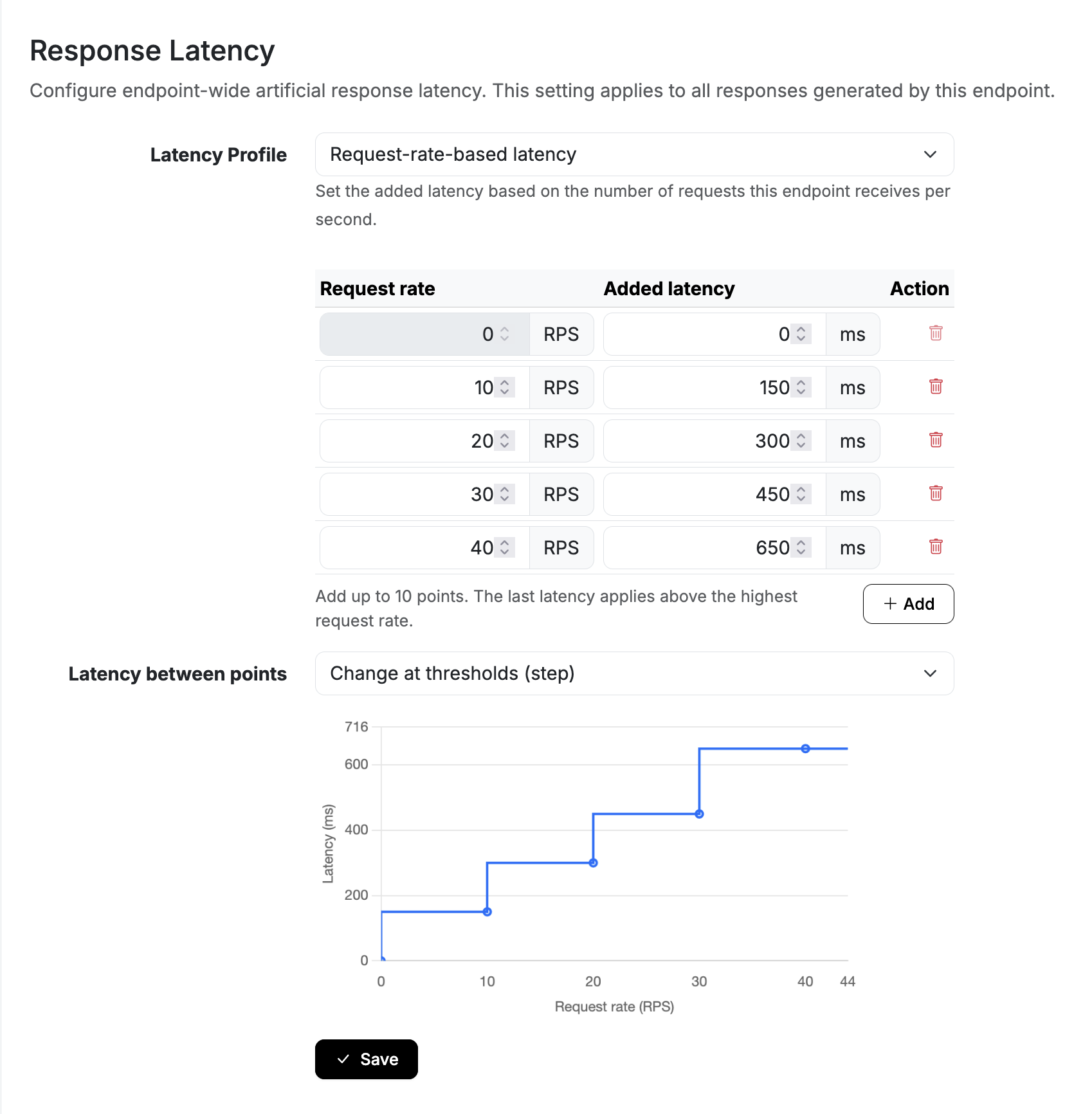
To configure this profile, define two or more points. Each point pairs a request rate (RPS), with an induced latency in milliseconds. Start the first point at 0 RPS and use a higher request rate for each following point. Let's say you are testing a checkout flow that calls an payment API. Use the same points as the screenshot above to simulate that dependency slowing down as the checkout traffic increases:
| Request rate (RPS) | Added latency (ms) |
|---|---|
| 0 | 0 |
| 10 | 150 |
| 20 | 300 |
| 30 | 450 |
| 40 | 650 |
Choose how the latency changes between these points:
- Gradual change (linear) changes the latency proportionally between adjacent points. In this example, a measured rate of
15RPS adds225ms of latency, halfway between150ms and300ms. - Change at thresholds (step) keeps the latency from the previous point until the request rate reaches the next one. At
15RPS, the added latency is150ms. At20RPS, it changes to300ms.
For either mode, traffic above the last point uses that point's latency. In this example, rates above 40 RPS continue to add 650 ms of delay.
RPS Calculation
Beeceptor calculates the request rate using the average of the previous two completed one-second intervals. A traffic spike or drop therefore affects the added latency after a short delay, rather than immediately for each incoming request.

Configure
- Navigate to Endpoint Settings page.
- Open Runtime Behavior tab, and find Response Latency.
- Select a latency profile and setup boundaries in milliseconds.
- Review the distribution, if available, and click Save.
For Fixed, Random Range, and Log-normal Distribution, you must enter numeric values as whole numbers from 0 to 600000 milliseconds (10 minutes). For a log-normal profile, the maximum must be greater than the minimum. The mean and spread must both be greater than zero.
For Load Dependent, each latency must be a whole number from 0 to 10000 milliseconds (10 seconds). You can manually enter request rates from 0 to 1000 RPS.
Override in Mock Rule
Each Mock Rule can inherit the endpoint latency or use its own delay:
- Inherit endpoint applies the endpoint's current latency profile.
- Fixed delay overrides the endpoint latency with the delay configured on the Mock Rule.
For weighted responses, each response can independently inherit the endpoint latency or use its own fixed delay.