Beeceptor MCP
When you're building integrations or testing APIs, creating and updating mock servers manually slows you down. You switch tabs, edit rules, save changes, test again, and repeat.
Beeceptor MCP changes that workflow.
With MCP (Model Context Protocol), AI assistants like Claude or Cursor can directly create and manage your Beeceptor endpoint. You describe what you want. The AI executes structured actions. You see rules appear instantly on the dashboard.
What is MCP?
MCP stands for Model Context Protocol. It is a standard that allows AI assistants to call real tools instead of only generating text.
In Beeceptor, this means your AI can:
- Create or update mock rules
- Inspect request history
- Configure endpoint settings
- Manage state data/variables
- Generate stateful CRUD routes
This is different from asking AI to "write mock JSON." The Beeceptor MCP lets your assistant build a test double / virtual API servers. You stay in your IDE/editor, and see the mock server updates in real time.
How MCP Agentic Mode Works
Here is what happens when you give an instruction:
- You ask Claude or Cursor to configure a mock API, or need an endpoint for HTTP/webhook debugging.
- The AI translates your request into MCP tool calls.
- Beeceptor executes those tool calls.
- The Beeceptor dashboard updates instantly.
- You can test the endpoint immediately.
The AI becomes the control layer. Beeceptor remains the execution engine.
Tools and capabilities
Beeceptor provides structured tools the AI can call. Each tool performs a specific operation.
- Know your endpoint: Returns your endpoint name and base mock URL.
- Manage rules: List rules, inspect one rule, create/update/remove rules, replace all rules in one shot, and reorder priority.
- Advanced behavior rules: Create and manage scenarios for chaos simulation, network latencies, HTTP callout behavior, and CRUD routes.
- Inspect request history: Search logs with filters, open full request details, or delete/purge history when needed.
- Manage state data: Store and retrieve key-value data, counters, and lists for stateful mocks.
- Read/update endpoint settings: Control CORS, security, rate limits, locale, proxy settings, and more.
- Template helper reference: Fetch Beeceptor's template syntax for dynamic response payloads.
- OpenAPI reference: Returns Beeceptor's Management API docs and OpenAPI spec.
Demo & Examples
Creating OAuth server
Watch this short demo of Beeceptor MCP Agentic Mode in action and see how AI directly controls your mock server in real time.
In this video, Claude receives a natural language instruction to set up an OAuth mock server. You will see MCP tool calls being executed behind the scenes as Beeceptor creates rules for /oauth/authorize, /oauth/token, and /oauth/userinfo, etc. The dashboard updates instantly as dynamic responses are configured. The OAuth endpoints can be tested immediately.
Example prompts
Try these prompts in your MCP-enabled AI client:
- Turn my bug report into a reproducible mock: create a
POST /checkoutrule that returns 500 whenpaymentMethod=amexand 200 otherwise. - Simulate an expired OAuth token: modify
/oauth/tokento returninvalid_grantifcode=expired123. - Reproduce yesterday’s production issue: create a 3-second delayed response on
GET /inventorywith 20% failure rate. - Generate a CRUD API for
/api/orderswith insert 10 records with order IDs and future delivery dates. - Create a retry scenario: first call to
POST /paymentreturns 500, second call succeeds with 200.
Setup
MCP URL: https://mcp.beeceptor.com/mcp
Sign in with OAuth
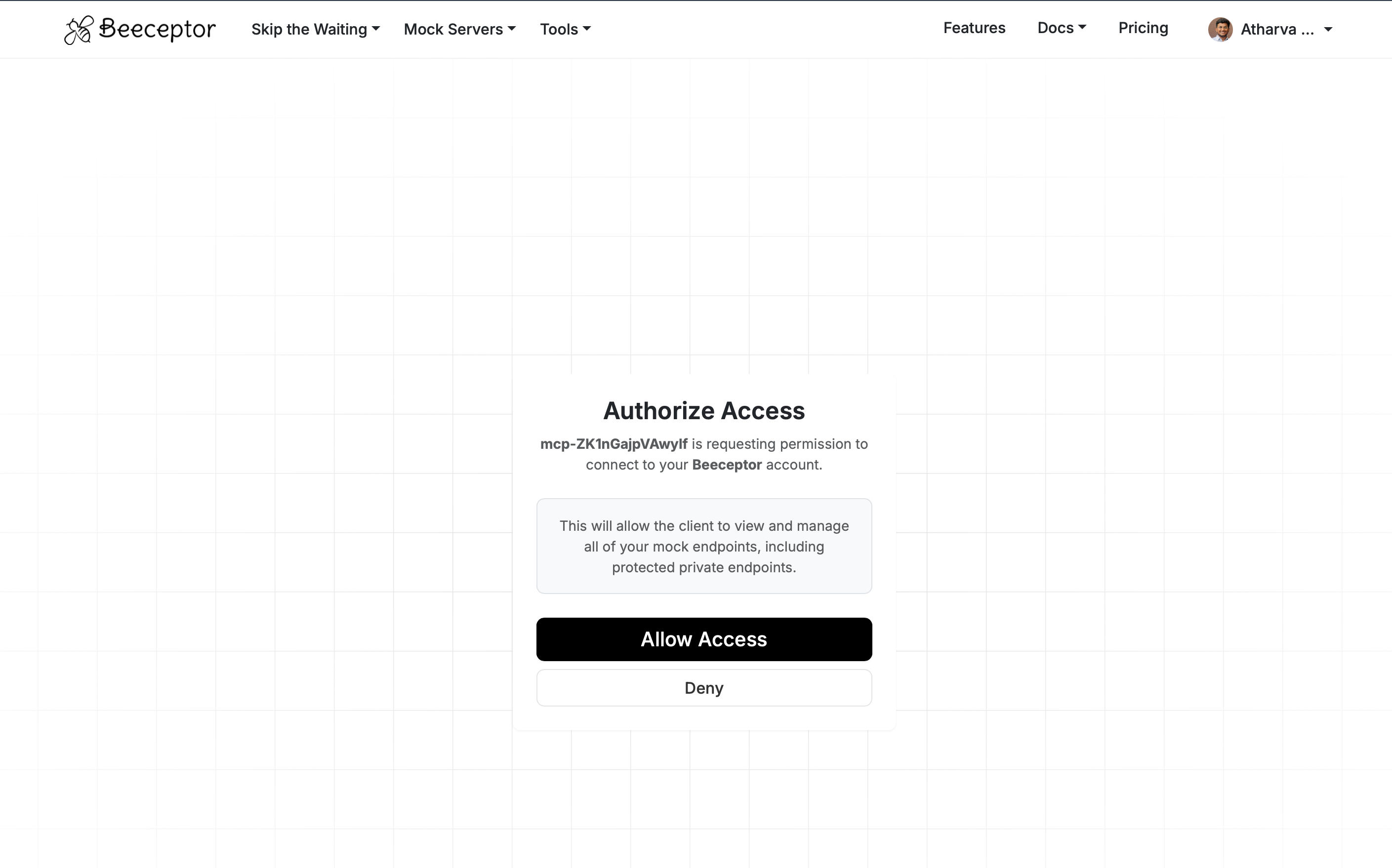
When you add Beeceptor MCP in a supported client, complete sign-in in the browser. You will see an Authorize Access screen listing what the client can do (manage mock endpoints on your account). Choose Allow Access to finish.
Setup for Cursor
- Open Cursor Settings → MCP and add a server, or edit your MCP config file.
- Add the MCP URL:
{
  "mcpServers": {
    "beeceptor": {
      "url": "https://mcp.beeceptor.com/mcp"
    }
  }
}
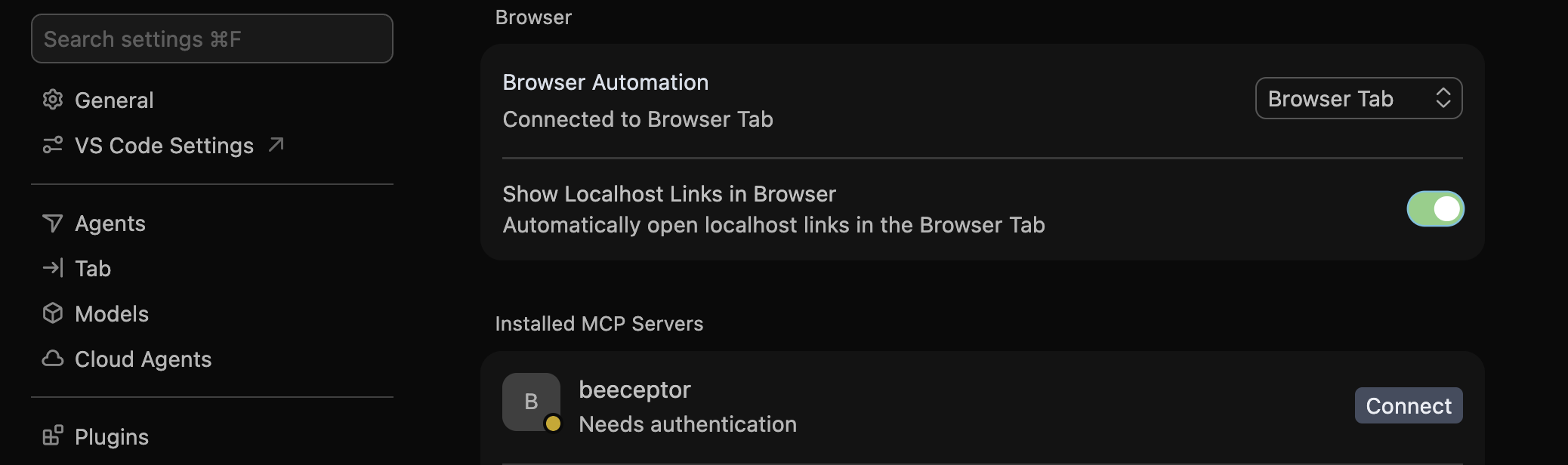
- In Installed MCP Servers, select beeceptor and click Connect when it shows Needs authentication. Complete OAuth in the browser.
Setup for Codex
codex mcp add beeceptor --url https://mcp.beeceptor.com/mcp
codex mcp login beeceptor
Setup for Claude (CLI)
Claude Code connects to Beeceptor’s MCP server over HTTP:
claude mcp add --transport http beeceptor https://mcp.beeceptor.com/mcp
claude mcp list
Complete any login or OAuth step your Claude CLI prompts for after adding the server.
Setup for Claude Desktop
Claude Desktop runs MCP over a local process. Use mcp-remote to bridge to Beeceptor’s HTTP MCP endpoint. Add this under mcpServers in your Claude Desktop config (e.g. claude_desktop_config.json on macOS):
{
  "mcpServers": {
    "beeceptor": {
      "command": "npx",
      "args": [
        "mcp-remote",
        "https://mcp.beeceptor.com/mcp"
      ]
    }
  }
}
When Claude Desktop connects, complete OAuth in the browser if prompted.