GraphQL Food Delivery API
Building a food delivery application means dealing with restaurants, menus, orders, and state changes. That usually requires a backend, a database, and a fair amount of setup. But if you are a frontend developer waiting on APIs, or a QA engineer trying to test flows early, all of that becomes a blocker.
Local tools like Graphql-faker help, but they still need CLI setup, schema wiring, and manual data rules. In this tutorial, you will build a hosted GraphQL mock API using Beeceptor that behaves like a real food delivery backend. You upload a schema and get a live endpoint with realistic data. No server code. No database.
The Goal
We want a GraphQL API that can support three common flows:
- List restaurants, optionally filtered by cuisine.
- View a restaurant menu.
- Place an order and get an order response.
By the end, you will have a public GraphQL endpoint that returns responses like this:
{
  "data": {
    "restaurants": [
      {
        "name": "Spice Garden",
        "cuisine": "North Indian",
        "rating": 4.5,
        "deliveryTime": 30
      }
    ]
  }
}
This is enough to unblock frontend work, build demos, and run end-to-end tests.
Step 1: Define the GraphQL Schema
Every GraphQL API starts with a schema. This defines what clients can query or mutate and the shape of the data.
Below is a simple schema that covers restaurants, menu items, and orders. Save this as food-delivery.graphql on your machine.
"""
Represents a restaurant in the food delivery app
"""
type Restaurant {
  id: ID!
  name: String!
  cuisine: String!
  rating: Float
  deliveryTime: Int
  imageUrl: String
  menu: [MenuItem!]!
}

"""
A single item on the menu
"""
type MenuItem {
  id: ID!
  name: String!
  description: String
  price: Float!
  isVeg: Boolean!
  imageUrl: String
}

"""
An order placed by a user
"""
type Order {
  id: ID!
  items: [MenuItem!]!
  totalAmount: Float!
  status: OrderStatus!
  createdAt: String!
}

enum OrderStatus {
  PLACED
  PREPARING
  OUT_FOR_DELIVERY
  DELIVERED
  CANCELLED
}

type Query {
  """
  Get a list of restaurants, optionally filtered by cuisine
  """
  restaurants(cuisine: String): [Restaurant!]!

  """
  Get details of a specific restaurant by ID
  """
  restaurant(id: ID!): Restaurant

  """
  Get all past orders
  """
  orders: [Order!]!
}

type Mutation {
  """
  Place a new order
  """
  placeOrder(restaurantId: ID!, itemIds: [ID!]!): Order!
}
Step 2: Create the Mock Server
Now, let's bring this schema to life using Beeceptor.
- Go to Beeceptor: Navigate to Beeceptor's GraphQL Mock Server.
- Upload Schema: Click on "Upload SDL" and select the
food-delivery.graphqlfile you just created. - Create Endpoint: Beeceptor will process the file and instantly provision a new GraphQL endpoint for you.
Alternatively, if you already have a Beeceptor endpoint:
- Go to your endpoint dashboard (e.g.,
https://my-food-app.free.beeceptor.com). - Navigate to Settings > GraphQL Setup.
- Upload the
food-delivery.graphqlfile.
Step 3: Querying the API (Intelligent Mocking)
Beeceptor's AI-powered mocking understands your schema. It doesn't just return random strings; it generates context-aware data.
1. List Restaurants
Let's fetch a list of restaurants. Paste this query in the Beeceptor playground:
query GetRestaurants {
  restaurants {
    id
    name
    cuisine
    rating
    deliveryTime
    imageUrl
  }
}
- Beeceptor Playground
- Bruno Client
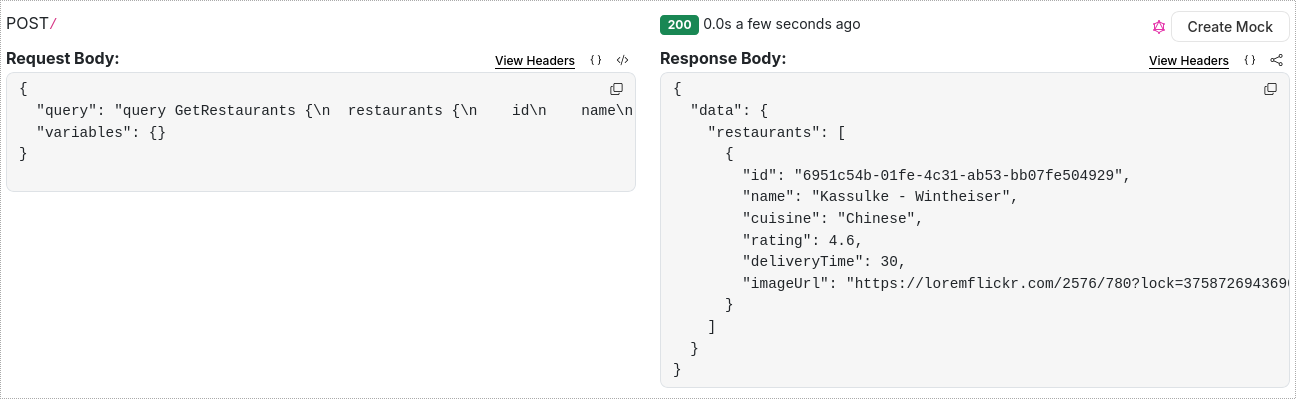
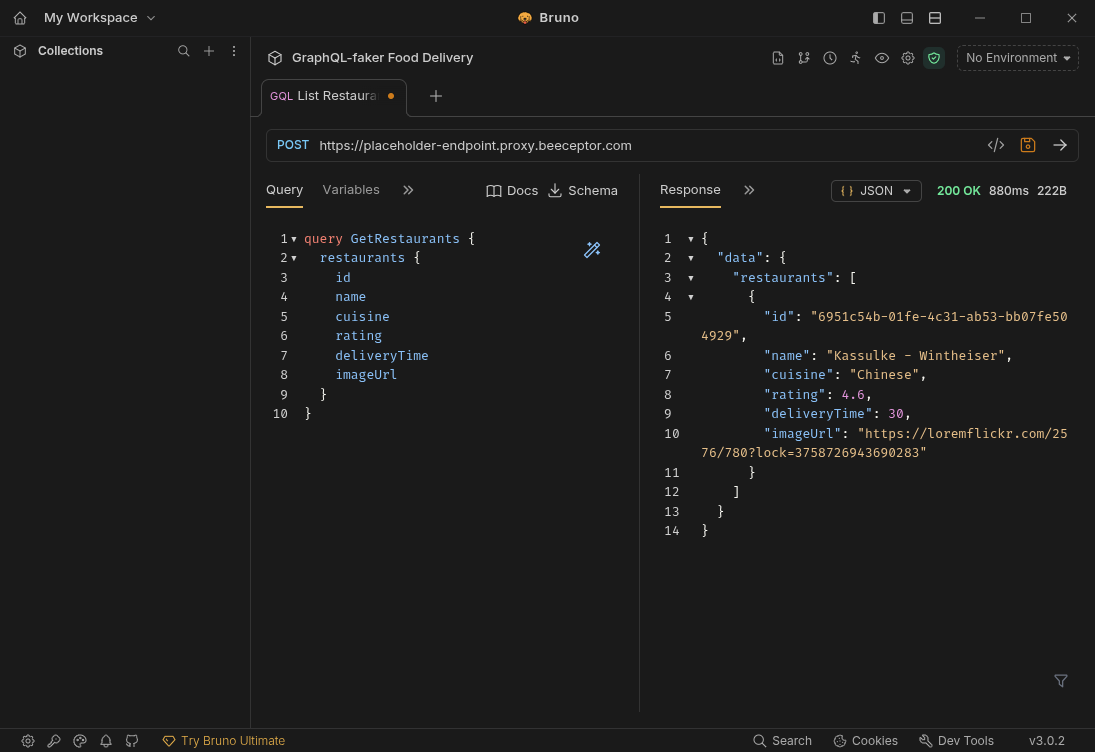
Beeceptor's Response: Notice how the AI generates realistic restaurant names and cuisines.
{
  "data": {
    "restaurants": [
      {
        "id": "6951c54b-01fe-4c31-ab53-bb07fe504929",
        "name": "Kassulke - Wintheiser",
        "cuisine": "Chinese",
        "rating": 4.6,
        "deliveryTime": 30,
        "imageUrl": "https://loremflickr.com/2576/780?lock=3758726943690283"
      }
    ]
  }
}
2. View Menu
Now, let's see what's on the menu for a specific restaurant.
query GetMenu {
  restaurant(id: "123") {
    name
    menu {
      name
      price
      isVeg
      description
    }
  }
}
- Beeceptor Playground
- Bruno Client
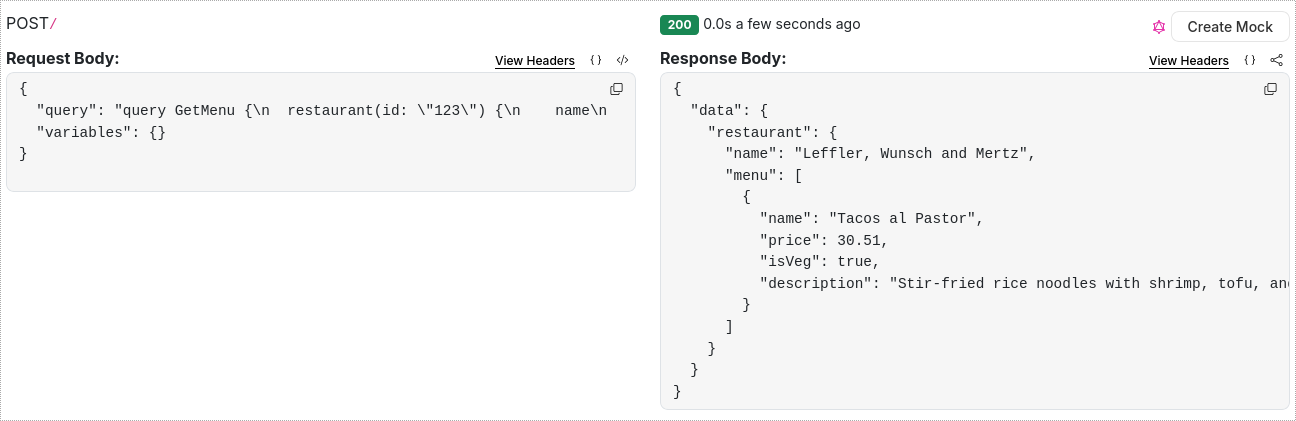
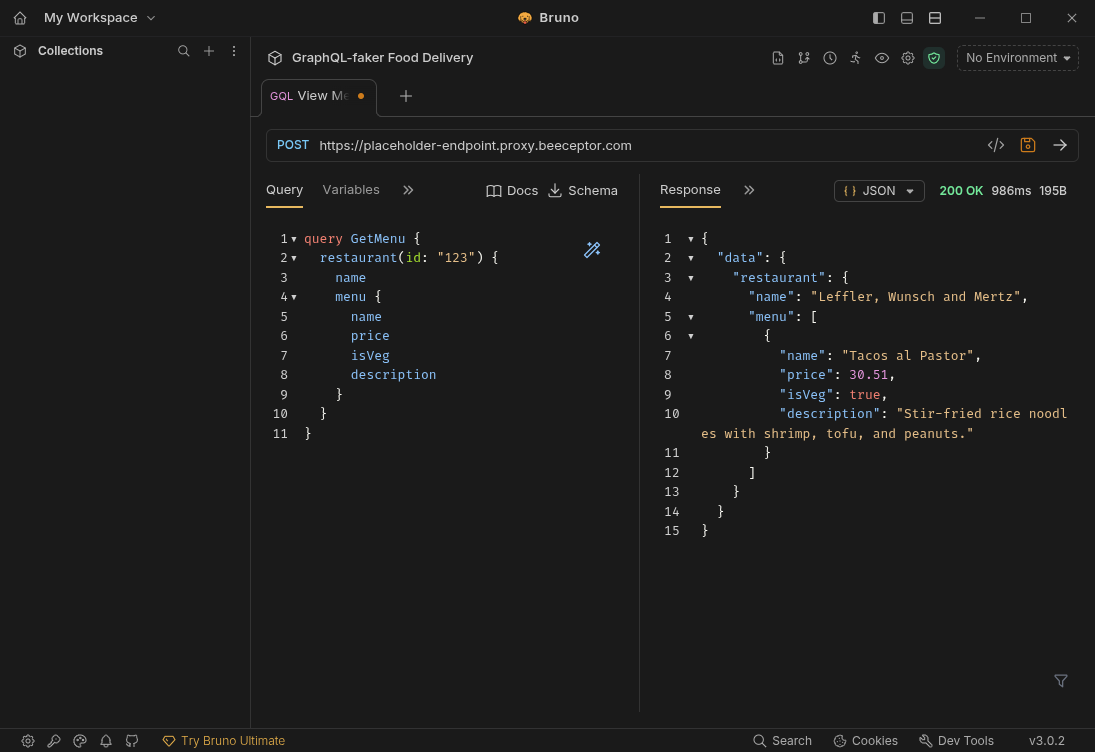
Response: The AI correctly associates menu items with the restaurant context.
{
  "data": {
    "restaurant": {
      "name": "Leffler, Wunsch and Mertz",
      "menu": [
        {
          "name": "Tacos al Pastor",
          "price": 30.51,
          "isVeg": true,
          "description": "Stir-fried rice noodles with shrimp, tofu, and peanuts."
        }
      ]
    }
  }
}
3. Place an Order (Mutation)
Finally, let's simulate placing an order.
mutation PlaceOrder {
  placeOrder(restaurantId: "123", itemIds: ["item1", "item2"]) {
    id
    status
    totalAmount
    createdAt
  }
}
- Beeceptor Playground
- Bruno Client
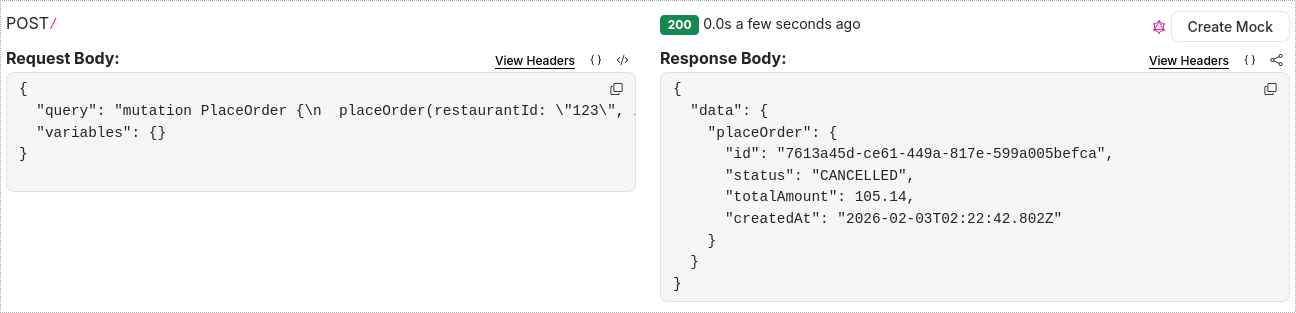
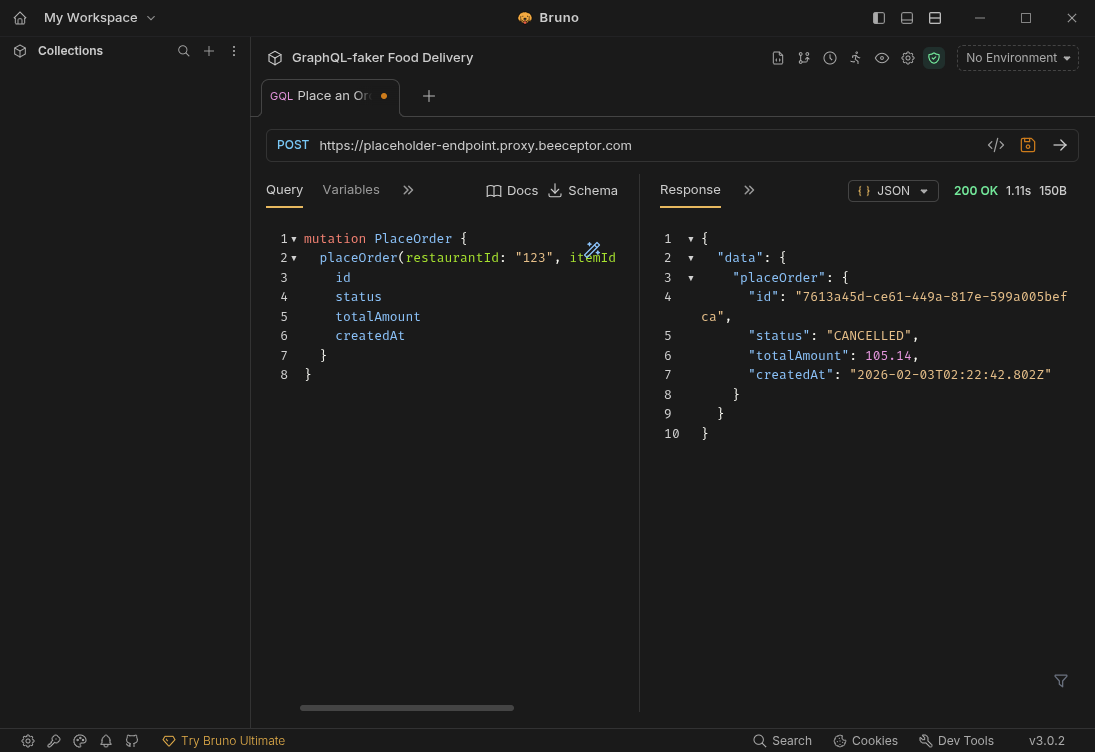
Response: Beeceptor simulates the state change and returns a realistic order object.
{
  "data": {
    "placeOrder": {
      "id": "7613a45d-ce61-449a-817e-599a005befca",
      "status": "CANCELLED",
      "totalAmount": 105.14,
      "createdAt": "2026-02-03T02:22:42.802Z"
    }
  }
}
Step 4: Client Integration
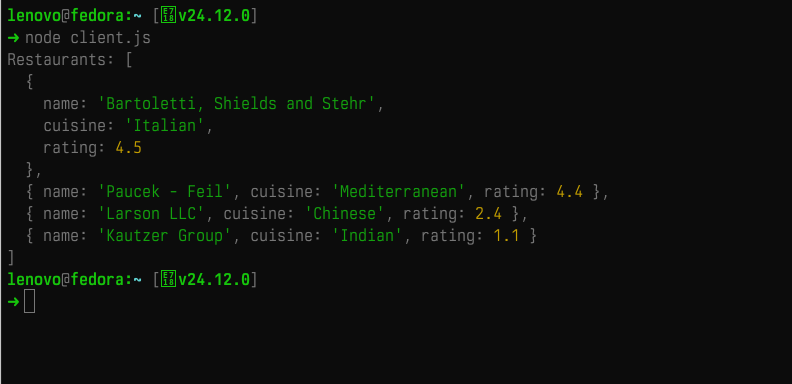
Now that your mock API is ready, you can consume it in your frontend application. Here is a simple example using JavaScript's fetch API. You can run this in your browser console or a Node.js script.
Replace YOUR_ENDPOINT with your actual Beeceptor endpoint URL.
const ENDPOINT = 'https://your-endpoint.free.beeceptor.com/graphql';

const query = `
  query GetRestaurants {
    restaurants {
      name
      cuisine
      rating
    }
  }
`;

async function fetchRestaurants() {
  try {
    const response = await fetch(ENDPOINT, {
      method: 'POST',
      headers: { 'Content-Type': 'application/json' },
      body: JSON.stringify({ query }),
    });

    const result = await response.json();
    console.log('Restaurants:', result.data.restaurants);
  } catch (error) {
    console.error('Error fetching data:', error);
  }
}

fetchRestaurants();
Using a GraphQL Client (Apollo/Relay)
If you are using a library like Apollo Client, simply point your uri to the Beeceptor endpoint.
import { ApolloClient, InMemoryCache, gql } from '@apollo/client';

const client = new ApolloClient({
  uri: 'https://your-endpoint.free.beeceptor.com/graphql',
  cache: new InMemoryCache(),
});

client
  .query({
    query: gql`
      query GetRestaurants {
        restaurants {
          name
          rating
        }
      }
    `,
  })
  .then((result) => console.log(result));
Conclusion
You have successfully built a Food delivery GraphQL API in minutes without writing a single line of backend code.
What you gained:
- A hosted GraphQL endpoint in minutes.
- Realistic data that matches your schema.
- Support for queries and mutations across the full user flow.
This setup works well for frontend development, demos, automated tests, and early product validation. From here, you can extend the schema, add more fields, or simulate edge cases like empty menus and cancelled orders. Beeceptor keeps the API live while your real backend catches up.